Steps To Install The App
1
Go to Shopify App Store
Install ShipMagic from Shopify App Store.
2
Verify Shipping Rates Installation
Navigate to Settings → Shipping and Delivery → General Profile.If ShipMagic appears as a shipping rate provider in your zones, the app is set up and connected correctly.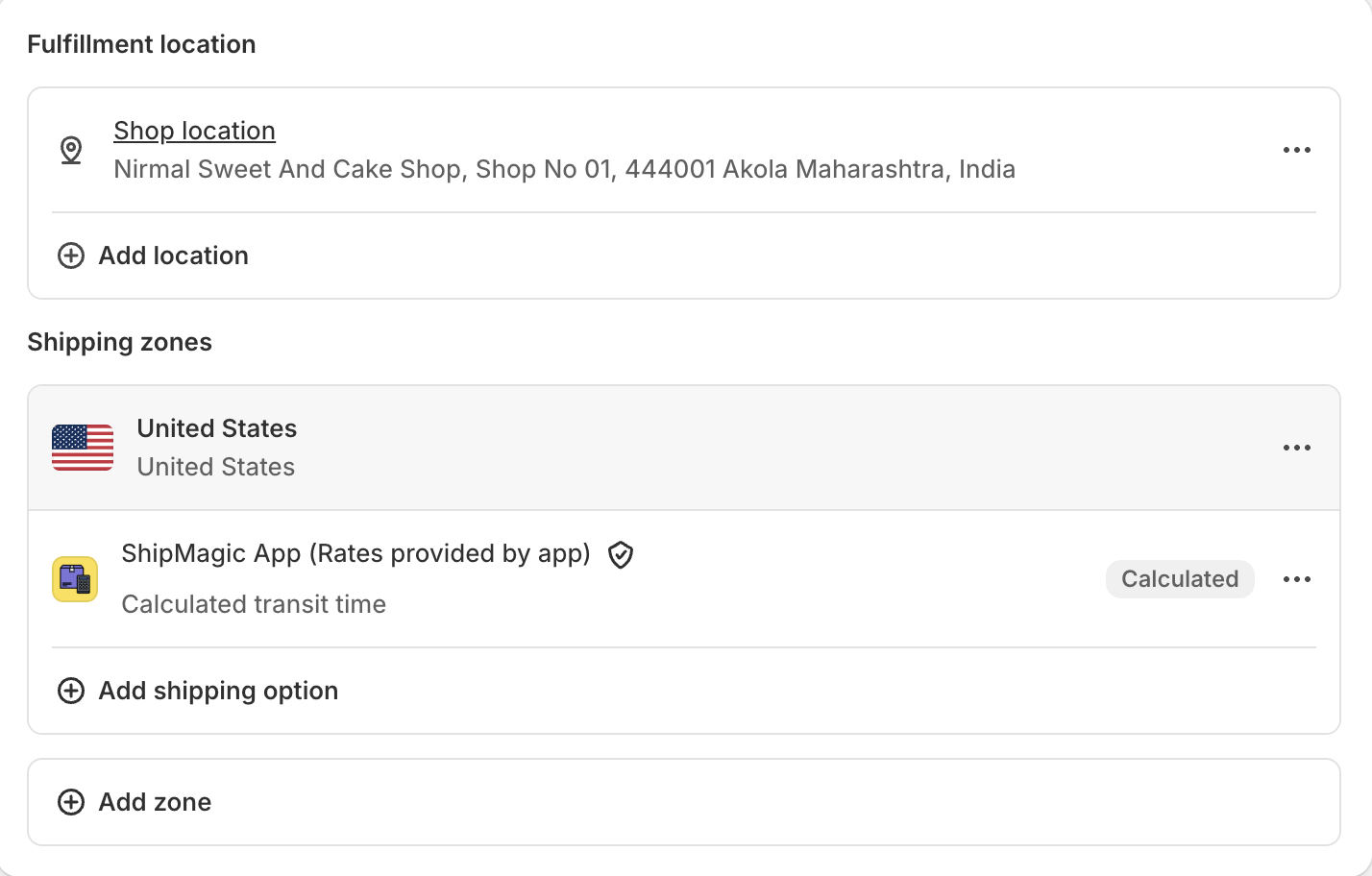
3
Verify Shipping Customizations Installation
Shipping Customizations are installed automatically and do not require any manual verification.They are enabled by default and work seamlessly across all stores.
Stores Using Market-Driven Shipping
If your store has moved to Shopify’s market-driven shipping, shipping options are set on each market rather than in shipping profiles. Add ShipMagic to each market you want it in as a carrier-calculated shipping rate, choosing ShipMagic App. After installing, open the Shipping Zones page in the app. If ShipMagic isn’t added in some of your markets, the page lists them. Click a market’s name to open it in Shopify.Add ShipMagic as a Rate Provider (Custom Profiles & Zones)
You need to have CCS enabled on your store to perform this operation.
1
Go to Shopify Admin → Settings → Shipping and Delivery
2
Open the custom shipping profile where you want to add ShipMagic
3
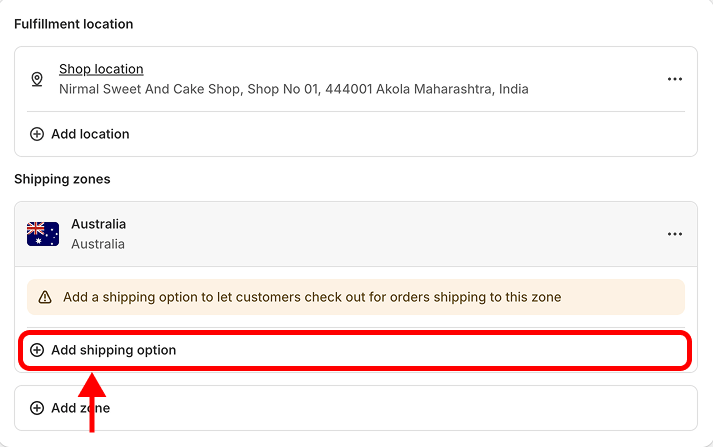
Under your desired shipping zone, click “Add shipping option”
4
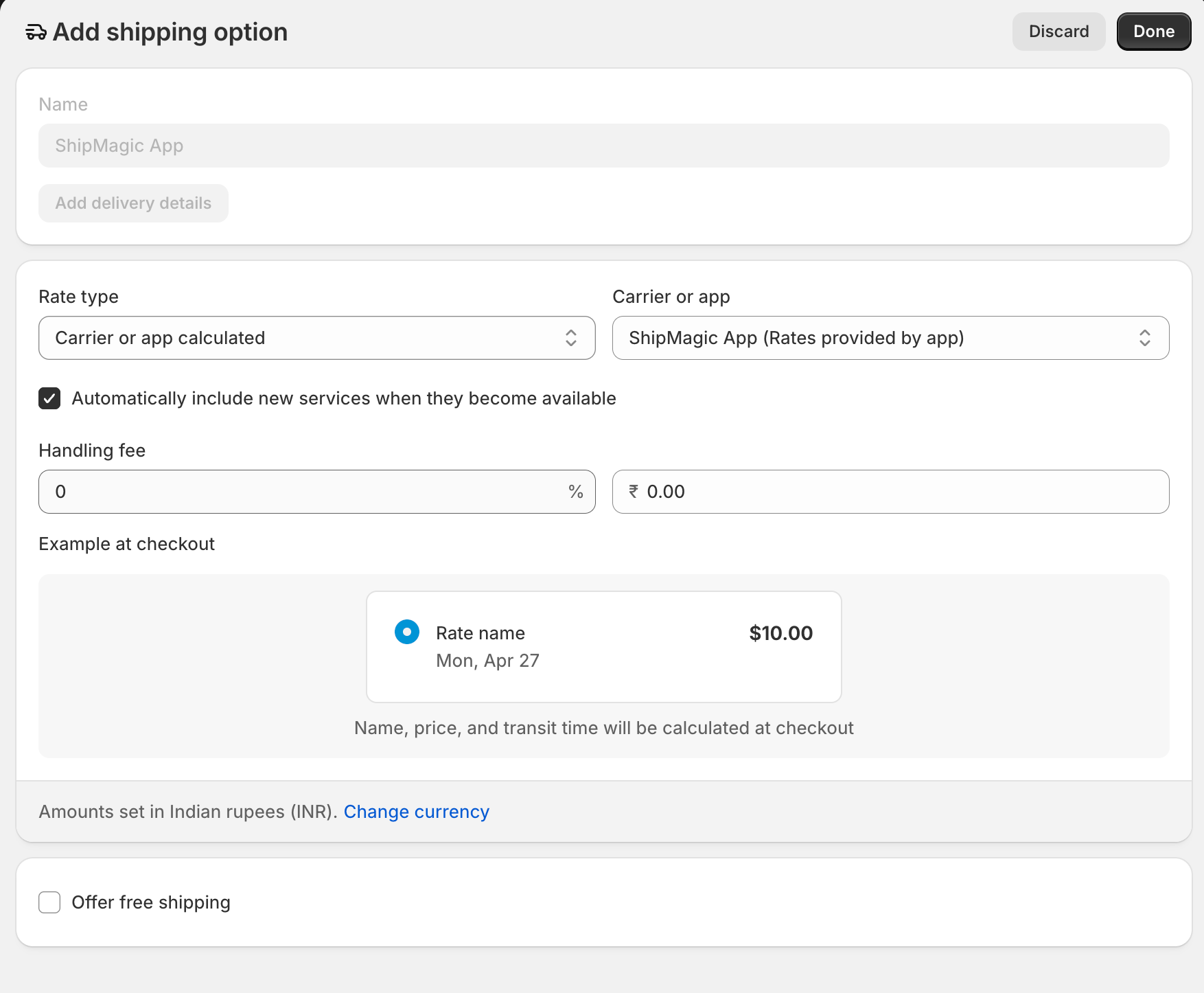
Set the Rate type to “Carrier or app calculated” and select “ShipMagic App” from the dropdown
5
Ensure “Automatically include new services when they become available” is checked
6
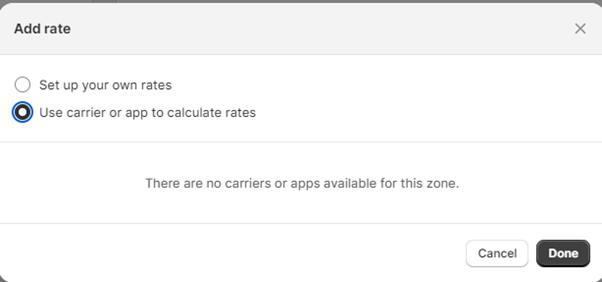
If you see an error like below after selecting "Carrier or app calculated", then it means that CCS is not enabled for you.