
Finding the ID
1
Open the collection in Shopify admin
Go to Products → Collections and click the collection you want.
2
Read the number at the end of the URL
The URL looks like this:The trailing number —
123456789 — is the collection ID.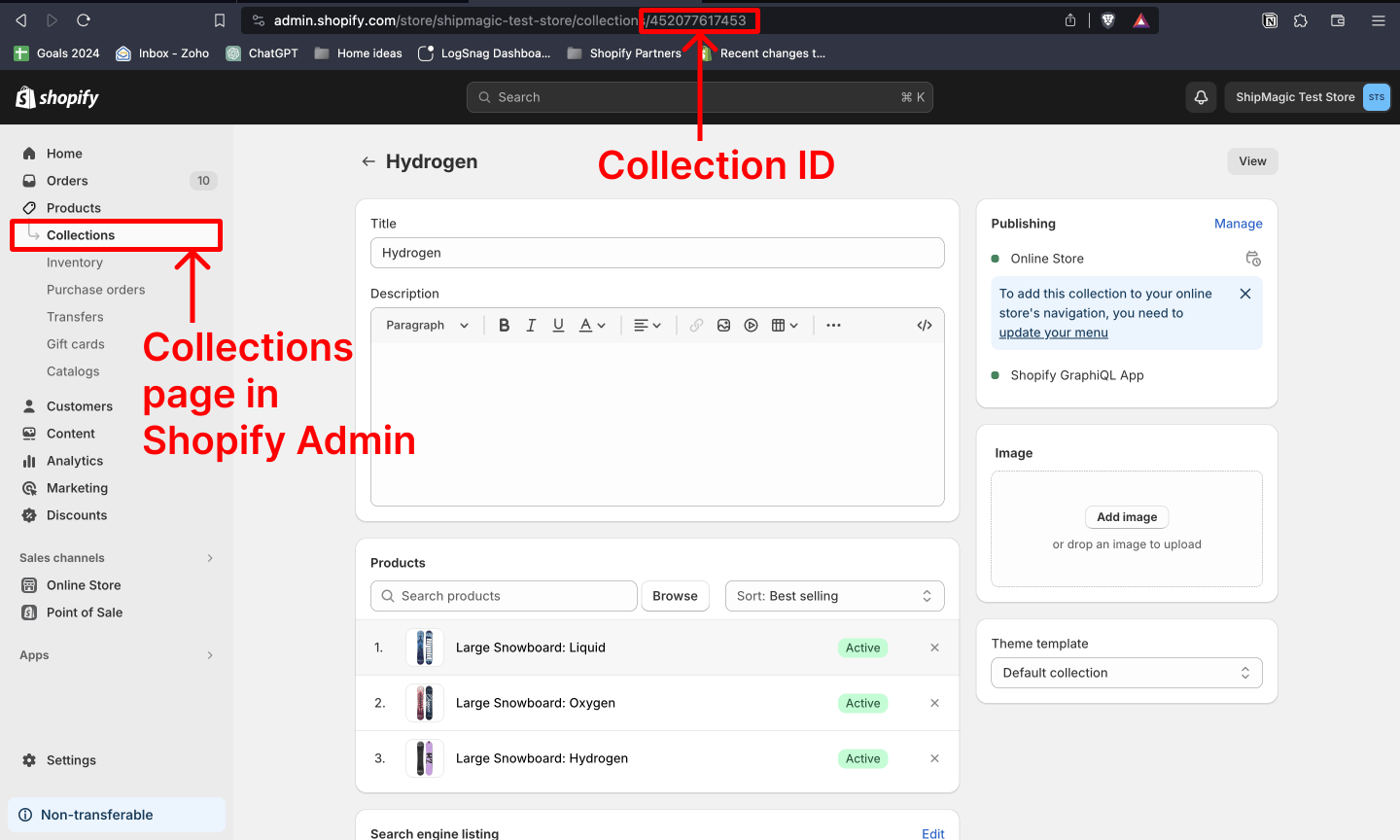
Related
Product Attributes
The Product Collection condition and the rest of the customization attributes.
Parameter sets
Which condition set exposes Product Collection.
Country and province codes
The other codes ShipMagic conditions expect.
Cloning a rule
Finding a rule ID, and copying a rule.