
How to Test ShipMagic
- Go to your online store
- Add relevant products to the cart (based on the rules you’ve created)
- Proceed to the checkout page
- Enter the complete address to view the calculated shipping rates
- If the app is in test mode, enter the first name as
shipmagicin the address section on checkout page
Using Test Mode (Recommended)
ShipMagic provides a test mode so you can safely test your setup without affecting real customers.To test in Test Mode:
-
On the settings page of the app, ensure the App Mode toggles are disabled.
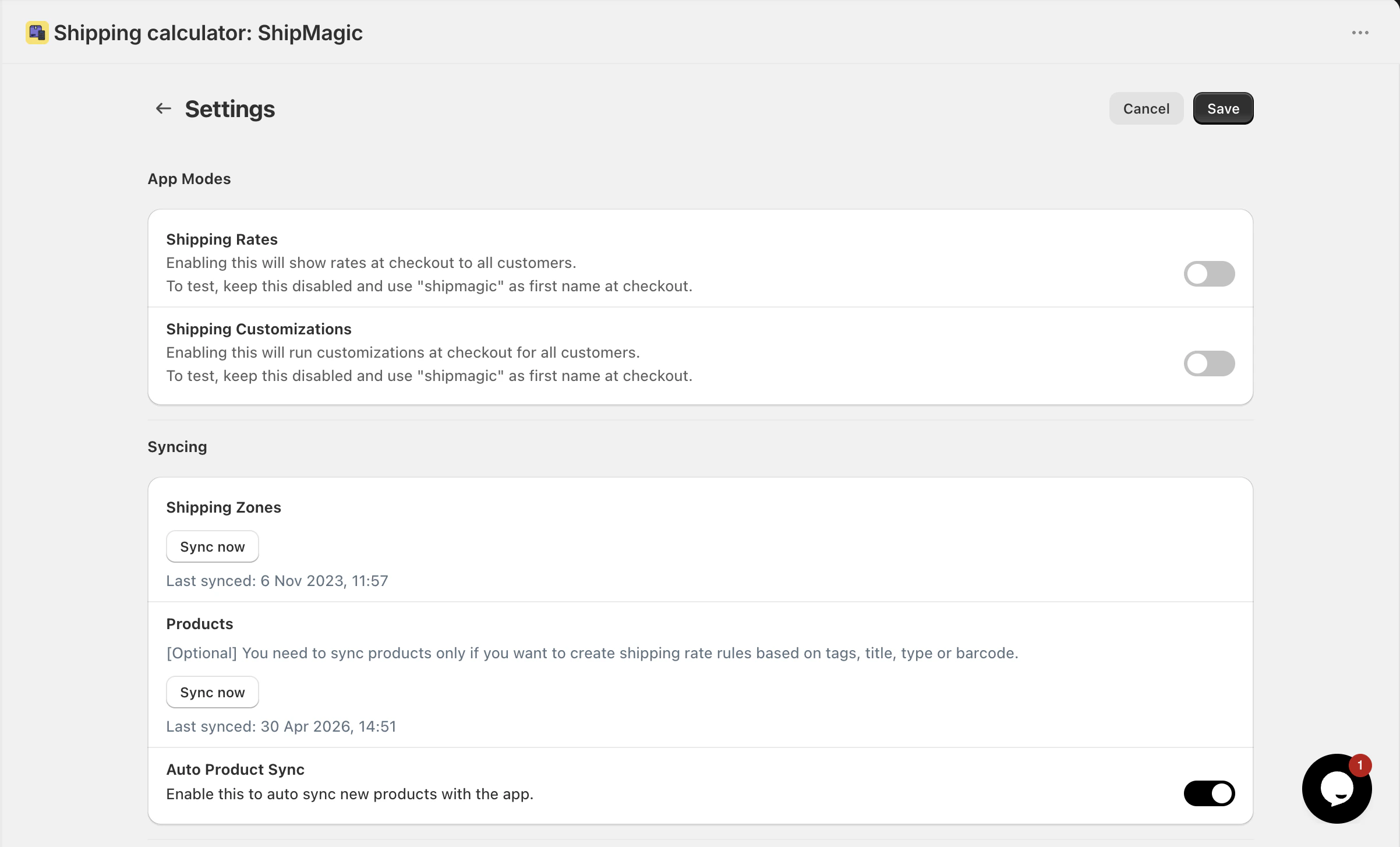
- You can put Shipping Rates and Shipping Customizations in test mode individually.
-
At checkout, enter the first name as
shipmagic
- Trigger ShipMagic rates only for your session
- Allow you to test different scenarios safely
- Ensure real customers continue to see your live shipping setup
What to Test
Make sure to test all key scenarios:- Different product types (e.g. bulky vs regular)
- Different cart values (below/above thresholds)
- Different locations or shipping zones
- Multiple products in a single cart
Tips for Accurate Testing
- Always use a new random address for testing to avoid seeing cached shipping rates
- Double-check product tags and conditions used in your rules
- Ensure product data is synced (if required)
- Verify rule priorities if multiple rules exist
- Test edge cases (e.g. boundary values like $100)
Need help?Our founders will personally help with the optimal setup for your brand. Book a free onboarding call if you’d like us to help.